Use your Echo AI agent in your account by clicking ‘Ask Echo’ to help you with this.
What is escalation/handover data collection?
Escalation/handover data collection is set up as a Task and means that if and when a customer or user has their chat/conversation or ticket escalated/handed over to a human member of your team it will collect details from them while doing so.
This means you can ensure you collect details that will help you to resolve the ticket faster when you get to it.
It could be an email address, a name, a phone number, bug details, whatever you need.
And best of all, it doesn’t show a form to the user, it asks them naturally, in conversation, just like a person would.
What data can you collect as part of escalation?
You can collect any information you need before escalation - email address, name, phone number, bug details, order number, or anything else relevant.
Each piece of data is collected conversationally (not via a form), so the experience feels natural to the customer. The data collected will be visible in the conversation or ticket history.
How do I set up escalation/handover data collection?
To set up an escalation/handover data collection task, just create a task as you usually would
- Give it a descriptive name and description, e.g.:
Name: Pre-Escalation User Info Collection
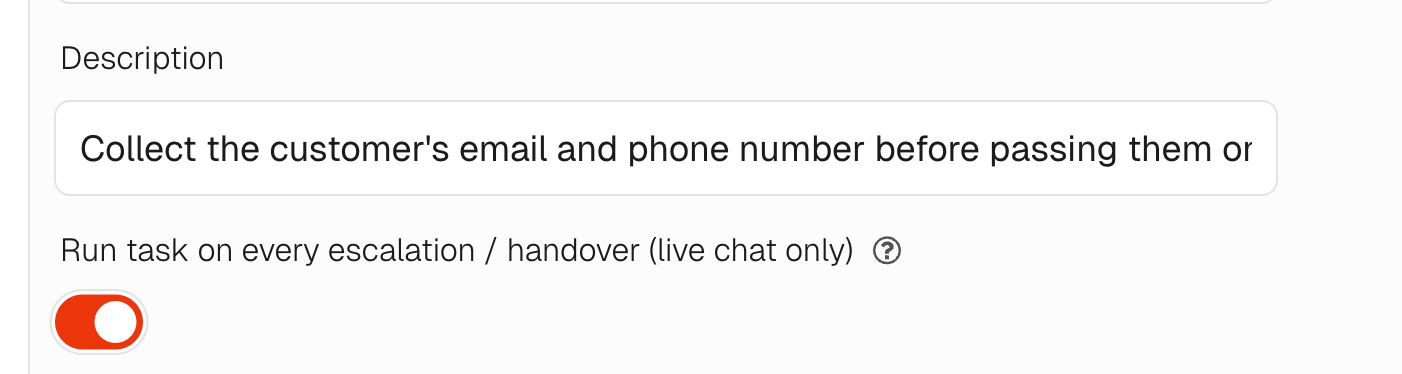
Description: Collect the customer’s email and phone number before passing them on or ending the interaction.
- Turn the toggle on for “Run task on every escalation / handover (live chat only)
- Describe the steps you want the AI agent to go through and the data you want it to collect and what format it will be in.
Does it happen on every escalation/handover?
If you have created an escalation data collection task and enabled it, then it will run on every handover/escalation.
Does it work for any helpdesk?
The escalation/handover data collection task works on all helpdesk integrations.
What happens with the data once it has been collected?
Once the data is collected by the AI agent, it will reside in the conversation or ticket history but will only be added to any meta data or other fields if you create an integration to allow this, e.g. an API tool that posts the collected data somewhere.
How does escalation data collection work in Zendesk Messaging?
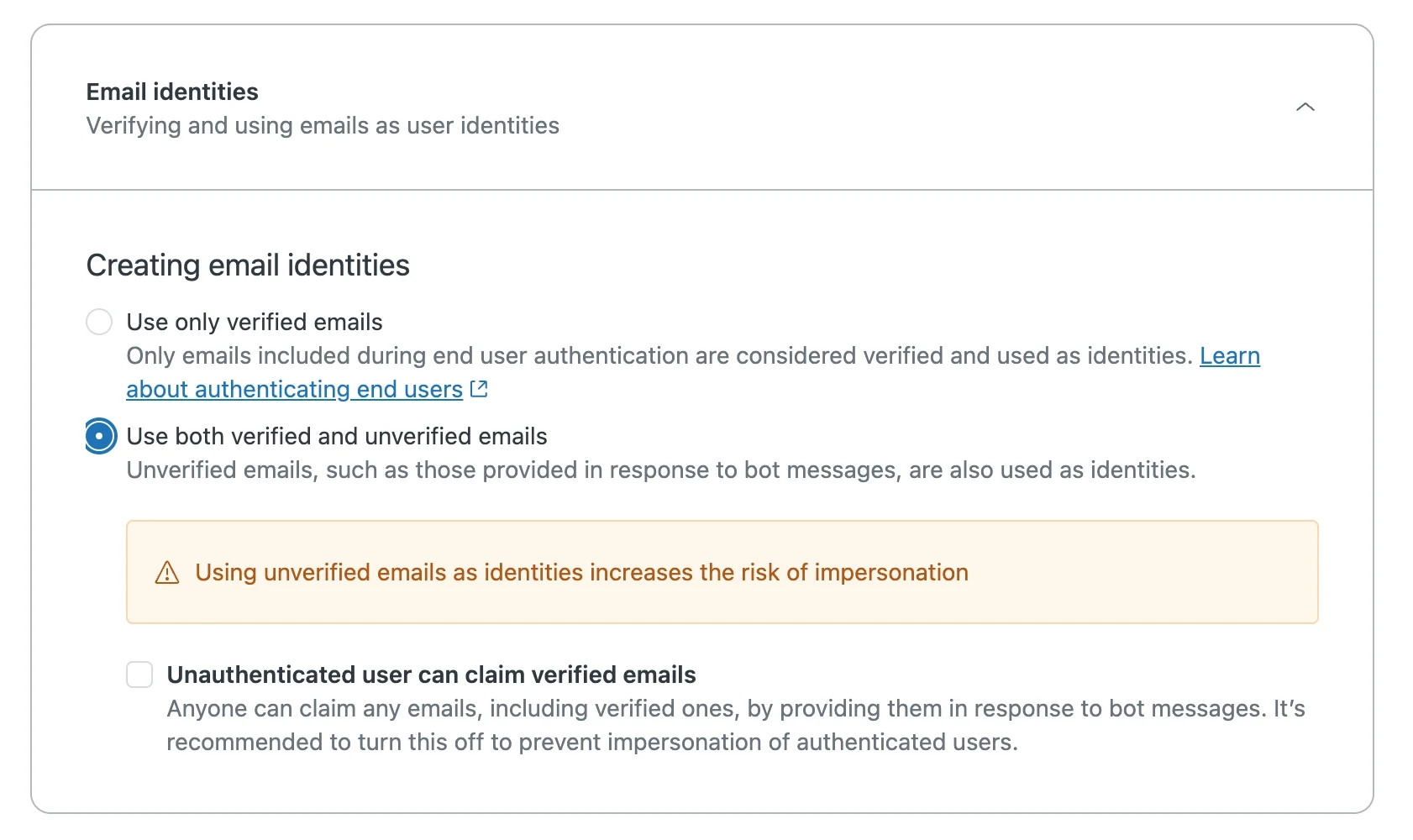
Zendesk Messaging has a native integration for passing collected data into the escalated ticket. When a conversation is escalated, any email address and name collected by your AI agent will automatically be attached to the Zendesk ticket created for the handover.
To enable this, go to your Zendesk Admin panel > Messaging > Messaging Settings and enable ‘Use both verified and unverified emails’.
Once enabled, the visitor’s email and name collected during the conversation will appear on the ticket, so your agents have the customer’s details ready when they pick it up.
This means you can require customers to provide their email on escalation in Zendesk Messaging so you can follow up.