

How can I run a workflow after a human escalation in Intercom?
To run a workflow after a human escalation in Intercom:- Create a new workflow by going to ‘+ New workflow’ > ‘Start from scratch’ > ‘Customer sends any message’
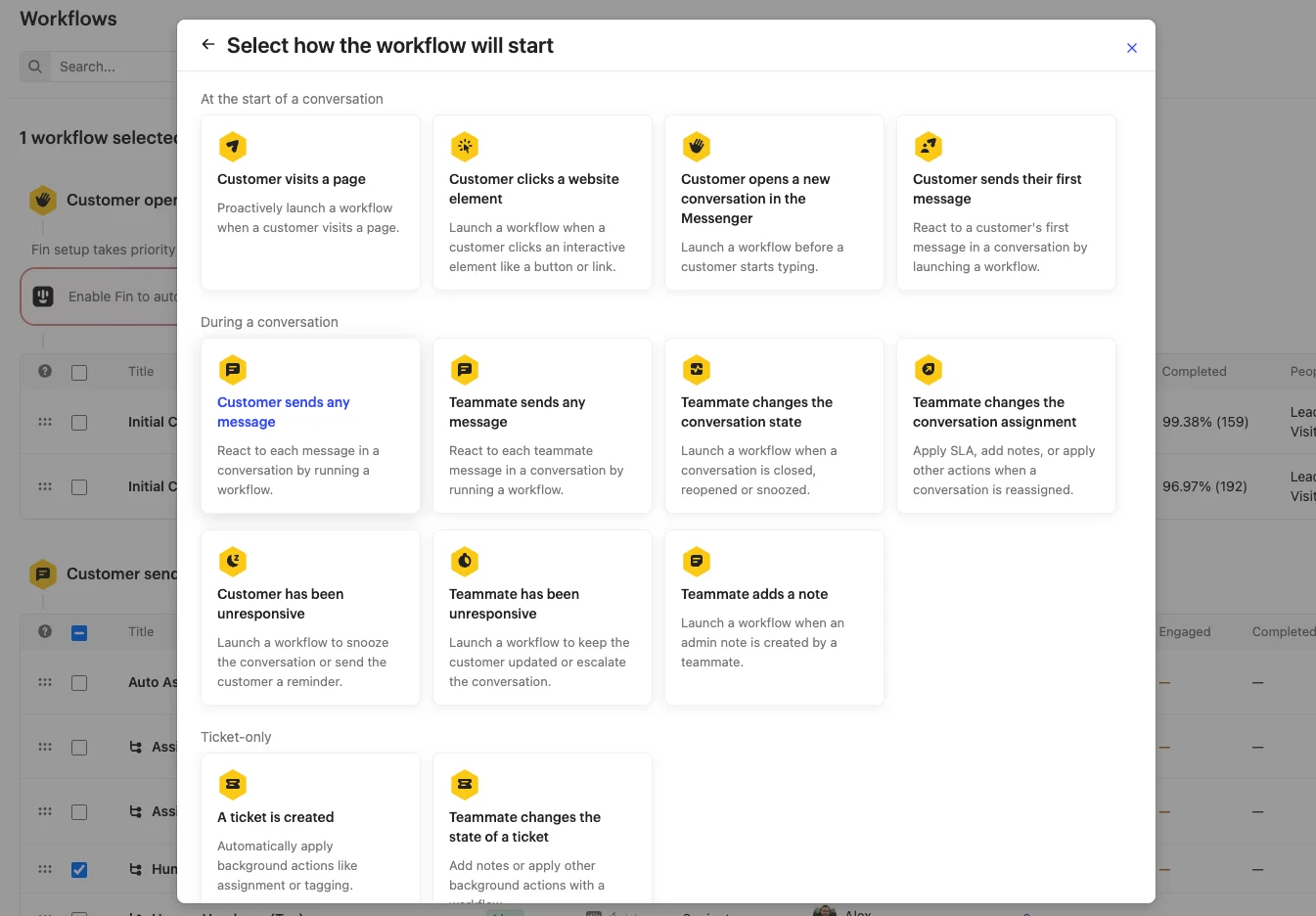
- Set the Trigger rule to ‘Leads and Users’ and any relevant channels for your business
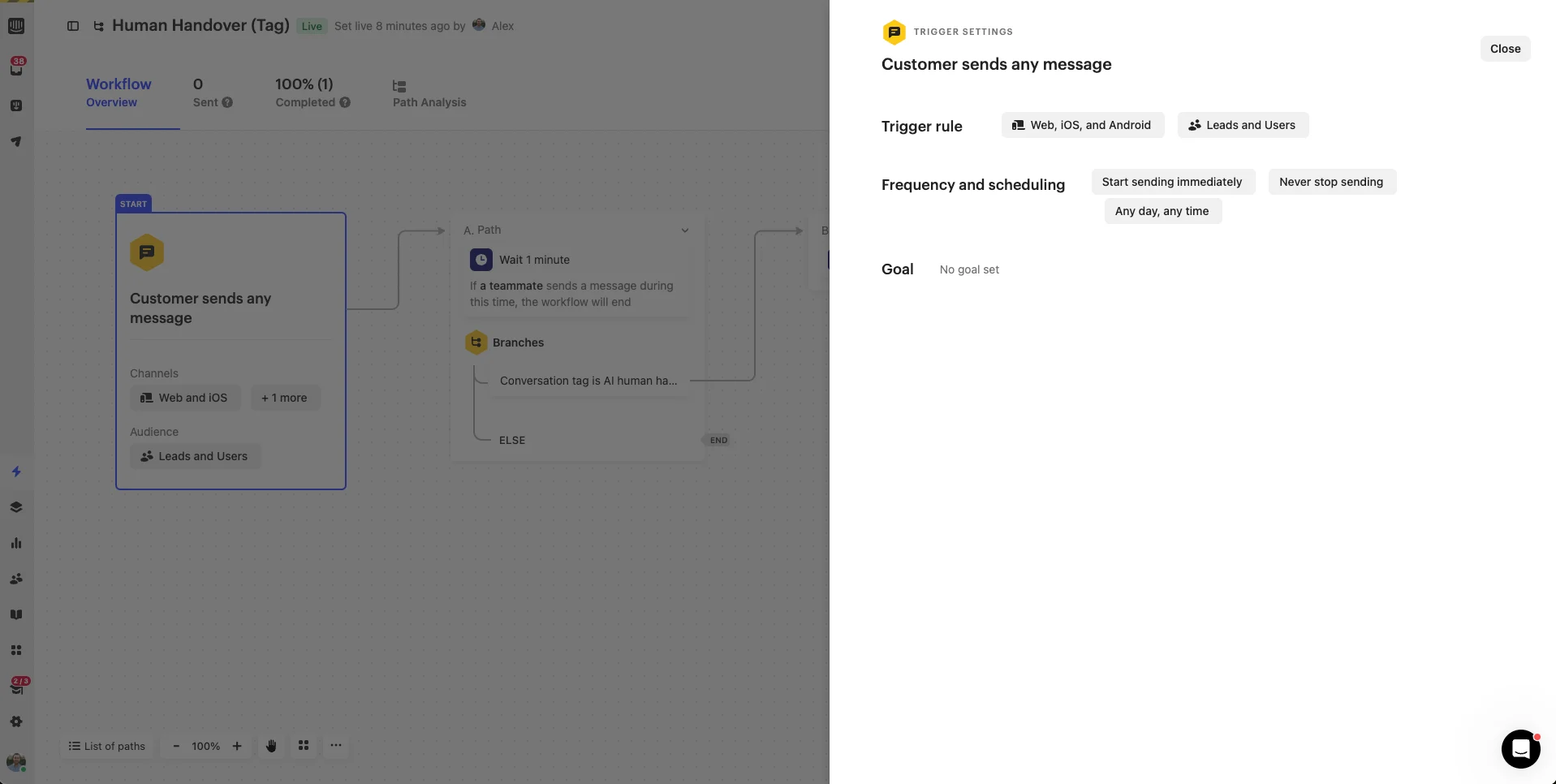
- Create two paths:
- Set a Wait action for 3 minute
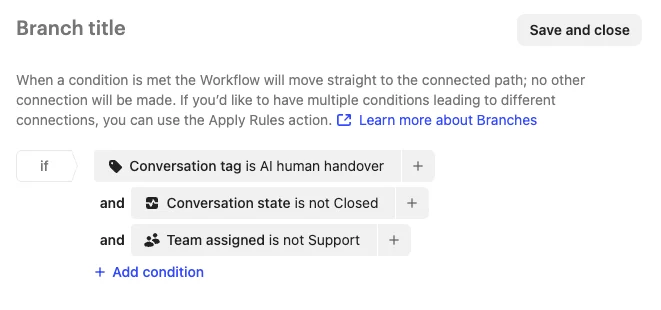
- Create a Branches action with the following conditions:
- IF: Conversation tag is
AI human handover - AND conversation state = “is not closed”
- AND (Optional) Team assigned is not your human agent’s team
- ELSE: End the workflow
- IF: Conversation tag is
- Finally, set the new workflow live and your escalation will automatically take place.